and forwarding is enabled or disabled on any server, without leaving your desk.
Multi-destination
system-agnostic: receive and forward syslog across Linux, Windows, macOS, Android and network devices, whatever the source.
All-in-one
management, live diagnostics and historical metrics in a single console.
The hidden cost of managing syslog by hand
A critical log that never arrives isn't a minor detail: it's the incident nobody saw coming.
It means lost visibility, alerts that never reach your SIEM, SOC or monitoring tool, and hours of troubleshooting without knowing whether the problem is the device, the network or the destination.
IT
hours spent on manual diagnostics
Checking, device by device, whether a log was sent correctly, whether it reached its destination, or was lost along the way, consumes time that should go toward productive work, not guesswork.
01
Invisible blind spots
It doesn't alert anyone. You only find out once there's already a problem — and when you go looking for the information, it simply isn't there: the damage is already done.
02
Slow rollout at scale
Configuring forwarding device by device doesn't scale once there are dozens or hundreds of machines on the network.
03
Diagnosing blind
Without seeing the real traffic, every "why didn't this log arrive?" turns into hours of blind investigation, with not a single lead to start from.
Mitra Syslog Forwarder captures your devices' syslog once and feeds every application that needs it.
Total integrity: SIEM, monitoring systems, compliance or any other tool that consumes syslog receive their copy, in parallel, with no modifications to the original packet.
Unified management and visibility
Built to remove blind spots without sacrificing control.
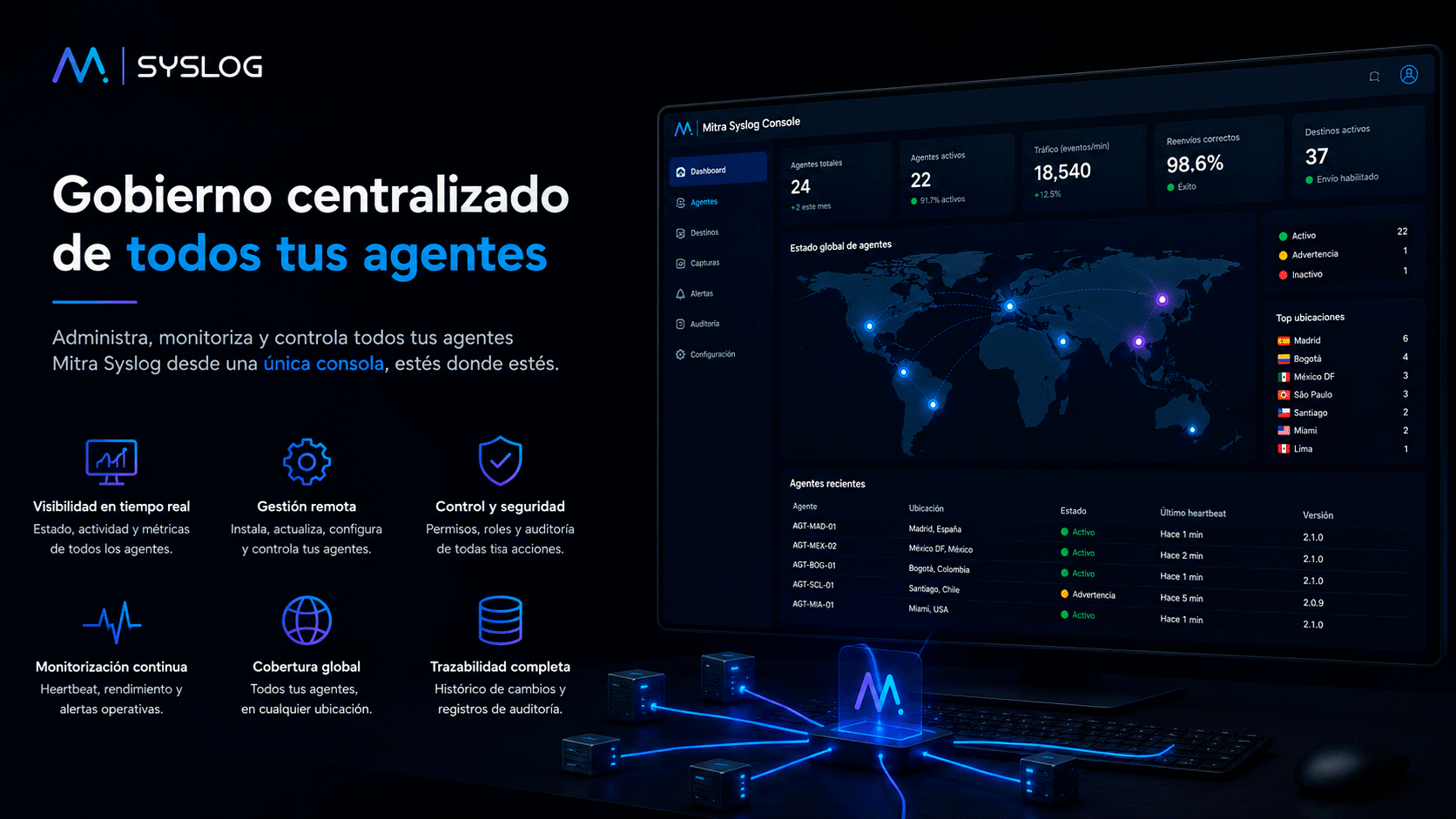
A centralised console to view, deploy and diagnose every syslog packet forwarding process in your organisation.
Centralised management
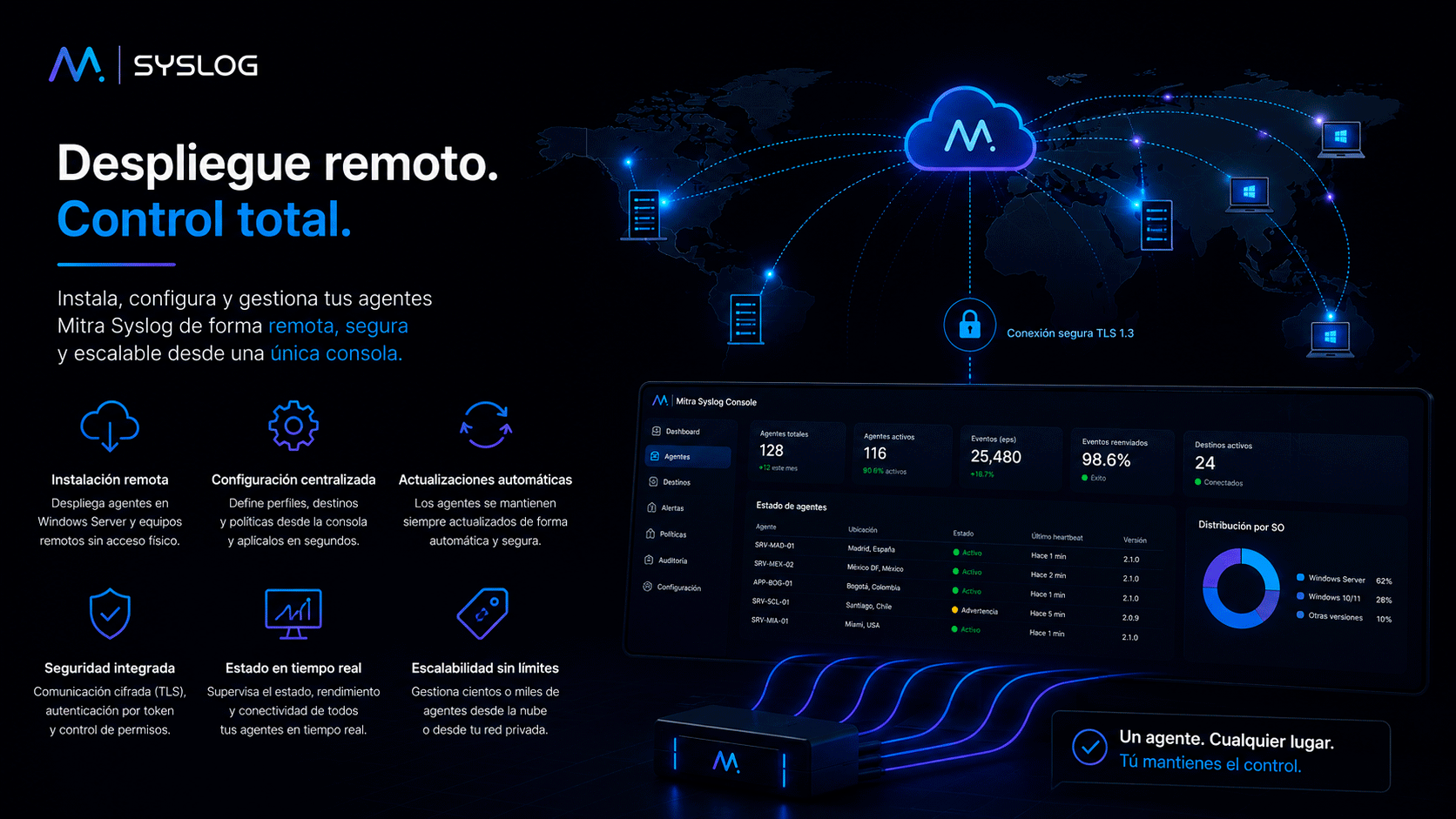
Deploy, update and remove the forwarding service remotely from the console, with no physical access to each server.
Optimised technical operations
Remote deployment. Cross-platform control.
Rolls out in minutes and works alongside your existing infrastructure, with no lengthy projects or operational friction.
Centralised deployment: install, update and remove forwarding across all your servers from a single console, with no physical access to any of them.
Prioritised multi-destination: each log can be forwarded to several collectors simultaneously.
End-to-end TLS: encrypted forwarding to any destination that requires it.
Works alongside your SIEM: it feeds it reliably, with visibility and traceability of what's happening.
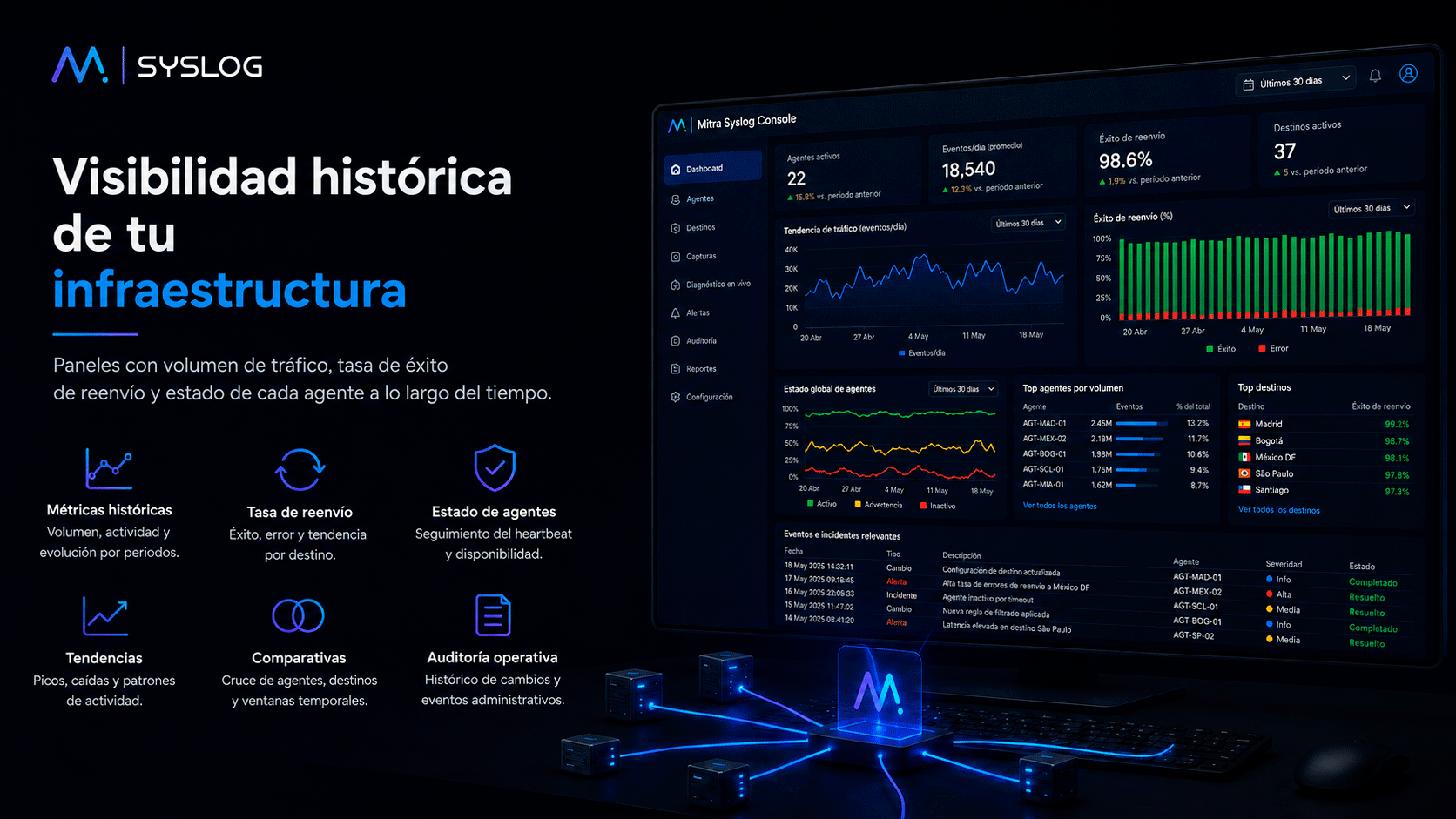
Operational traceability
Every administrative change, logged.
Audit trail of actions taken from the console: deployments, configuration changes, diagnostics enabled.
✓Record of who changed what and when.
✓Exportable for internal review.
Frictionless management
Forwarding managed without relying on physical access.
The IT team deploys and manages forwarding remotely, with no need for remote server sessions or site visits.
✓Remote management from the console itself.
✓ No need for physical access to each server.
Frequently asked questions
What you need to know before deploying Mitra Syslog Forwarder
No. It sits between the sources generating syslog and your SIEM or collector, ensuring traffic arrives reliably, with centralised visibility and control.
No. Forwarding is deployed, updated and removed remotely from the management console.
Deployment completes in minutes from the console, with no lengthy implementation projects.
Yes. Each source supports multiple configurable destinations, with priority between them and optional TLS encryption on each.
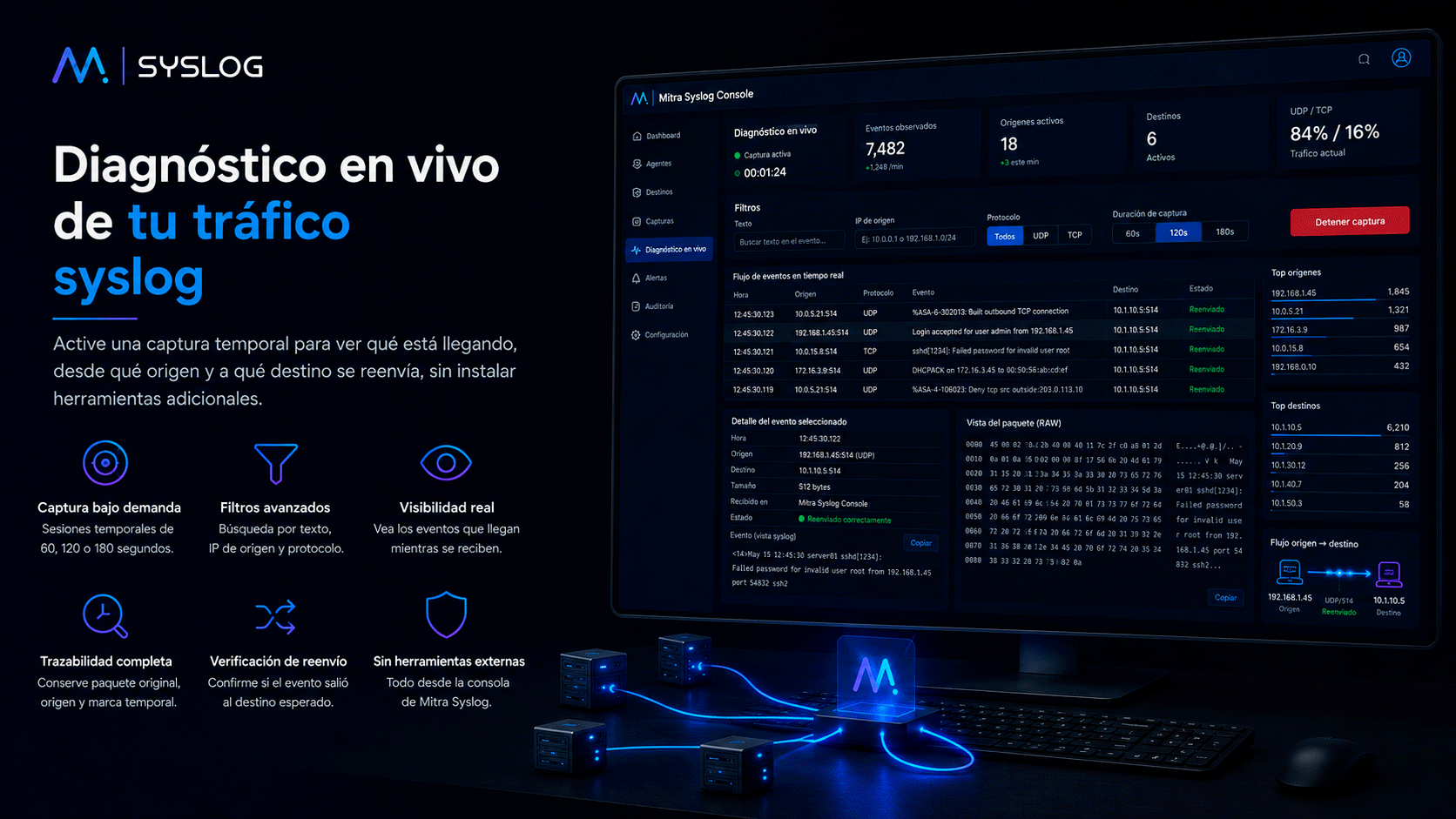
The console shows the real status of each server, not just whether the service has started, to catch silent stalls or crashes earlier.
You can trigger a live traffic capture on the affected server, filter by source, protocol or content, and see exactly what's being received and forwarded.
A simple, predictable annual subscription based on the number of servers with active forwarding. The licence includes updates and technical support as agreed in the contract.
Take back control of your syslog traffic
Total visibility. Zero blind spots.
Remote deployment. Live diagnostics. Reliable forwarding to your SIEM.
Request a Demo Online
See how Mitra Syslog Forwarder centralises log forwarding and removes blind spots.
Headquarters
New Vision SoftLan SL Calle Tamadaya s/n, Edif. Preysa IV, local bajo 38009 Santa Cruz de Tenerife, Spain
Send us your enquiry and we will get back to you shortly.
Privacy Policy
1. Data Controller
In accordance with applicable data protection regulations, we inform you that the personal data provided will be processed by:
Company Name: New Vision SoftLan S.L. (hereinafter, "the Controller"). Registered Address: Calle Tamadaya s/n, Edif. Preysa IV, local bajo, 38009 Santa Cruz de Tenerife, Spain. Phone: +34 922 235 789 DPO / Privacy Contact Email: info@mitradatasecurity.com
2. Purposes of Processing
At Mitra Syslog Forwarder we process the information provided by interested parties for the following purposes:
Contact Form: To handle information requests, questions or enquiries submitted by the user.
Demo Request: To manage the software demonstration request, contact the user to schedule the session and verify corporate identity.
Commercial Communications: Where you have given your express consent, to send you information about news, security updates or services related to Mitra Syslog Forwarder.
3. Legal Basis
The legal basis for processing your data is the consent of the data subject. By completing the forms and ticking the box "I have read and accept the Privacy Policy", you expressly agree to the processing of your data for the purposes described.
4. Data Retention
Data will be retained for as long as the business relationship is maintained or for the number of years required to comply with legal obligations. Data collected for commercial communications will be retained until you request to unsubscribe.
5. Recipients
Data will not be transferred to third parties except where a legal obligation exists. However, for the provision of technical services (hosting, web maintenance), our technology providers may have access to data, always under a Data Processing Agreement and in compliance with the GDPR.
6. User Rights
You have the right to obtain confirmation as to whether we are processing your personal data. You have the right to: access, rectify, erase, restrict processing, object and request data portability.
You may exercise your rights by sending an email to the address indicated in section 1, attaching a copy of your ID document.
7. Security
Mitra Syslog Forwarder has implemented the technical and organisational measures necessary to ensure the security of your personal data and prevent its alteration, loss, unauthorised processing or access.
Terms and Conditions of Use
1. Identifying Information
In compliance with the information duty set out in Article 10 of Law 34/2002 of 11 July on Information Society Services and Electronic Commerce, the following details are provided:
The company owning this website is New Vision SoftLan S.L., with registered address at Calle Tamadaya s/n, Edif. Preysa IV, local bajo, 38009 Santa Cruz de Tenerife, Spain.
2. Users
Accessing and/or using the Mitra Syslog Forwarder portal confers the status of USER, who accepts, from the moment of such access and/or use, the General Conditions of Use set out herein.
3. Use of the Portal
This website provides access to information, services or data belonging to New Vision SoftLan S.L. The USER assumes responsibility for use of the portal, including any registration required to request a demo or access specific services.
The USER undertakes to make appropriate use of the content and services and not to employ them for unlawful, illegal or activities contrary to good faith or public order.
4. Intellectual and Industrial Property
New Vision SoftLan S.L. holds all intellectual and industrial property rights over its website and its contents, including Mitra Syslog Forwarder software, images, trademarks, logos, structure and design.
Reproduction, distribution and public communication of the content for commercial purposes without the authorisation of New Vision SoftLan S.L. is expressly prohibited.
5. Disclaimer of Warranties and Liability
New Vision SoftLan S.L. shall not be liable for damages arising from errors in the content, unavailability of the portal or the transmission of malicious programs, despite having adopted all necessary technological measures.
6. Modifications
New Vision SoftLan S.L. reserves the right to make, without prior notice, any modifications it deems appropriate to its portal.
7. Applicable Law and Jurisdiction
The relationship between New Vision SoftLan S.L. and the USER shall be governed by Spanish law, and any disputes shall be submitted to the Courts and Tribunals of the city of Santa Cruz de Tenerife.
Cookie Policy
1. What Are Cookies?
A cookie is a file that is downloaded to your computer when you access certain websites. Cookies allow a website to store and retrieve information about a user's browsing habits.
2. Types of Cookies Used by This Website
This website uses the following types of cookies:
Technical cookies: These enable browsing and use of the various options or services available on the website.
Analytical cookies (Optional): These allow us to quantify the number of users and carry out statistical measurement and analysis of how users use the service.
3. Consent
By browsing and continuing to use our website, you consent to the use of the cookies described above.
4. How to Block or Delete Cookies
You can allow, block or delete cookies through your browser settings: